Android Enable USB-Debugging

Go to Settings > General > About phone > Software information and tap “Build number” seven times until it says “You are now a developer” Go to Settings > General > Developer options and enable USB Debugging Drop down the notifications menu and click on “Tap for more USB options”. Most likely, the main title…

JavaScript modules

<head> <script src=”../js/constants.js” type=”module”></script> <script src=”../js/script.js” type=”module”></script> </head> constants.js export const projects = [ “Project-A”, “Project-B”, “Project-C”, ]; script.js import {projects} from “./constants.js”;

New Blog Post

Telegram Bot with MicroPython

Motivation In my project Mailbox IoT ESP 32 Project I needed a Telegram bot to relay the messages. So here is a short tutorial Create TG bot Open Telegram Search for @botfather Start chat Send /newbot Pick a name Pick a username (must be unique) Receive credentials Chat with your bot Now you can search…

MicroPython uos package

When you are familiar with Python os and platform package You may wonder how to use it on ESP32 in MicroPython. Because this doesn’t work: >>> os.name Traceback (most recent call last): File “”, line 1, in AttributeError: ‘module’ object has no attribute ‘name’ >>> import platform Traceback (most recent call last): File “<stdin>”, line…

Install ESP32 in ArduinoIDE

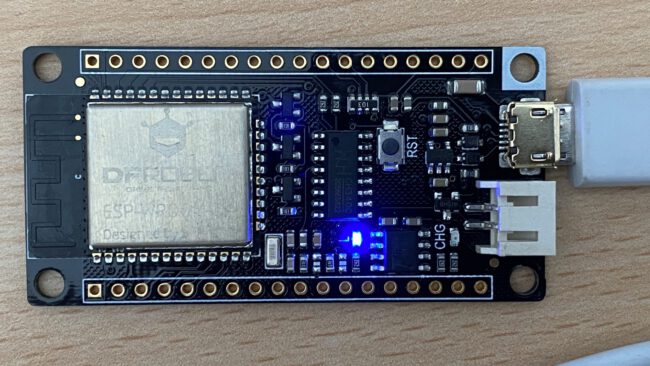
Prerequisites On Windows you might need to install the CH340 USB-UART driver first to get a connection to the board. Install ESP32 in ArduinoIDE Open Preferences and add https://raw.githubusercontent.com/espressif/arduino-esp32/gh-pages/package_esp32_index.json to additional boards manager URLs:   Tools -> Board Manager and install esp32 Sometimes your computer needs a restart! Now select FireBeetle as Board and the…

Using MicroPython on FireBeetle ESP32

Motivation In Fire Beetle ESP 32 Project I wrote about connecting the FireBeetle ESP32 with the Arduino IDE and writing a little C-style program. Another interesting approach is to use MicroPython. Installing MicroPython Install esptool To get MicroPython onto the board we use the esptool command line. Because we are in the Python ecosystem we…

Mailbox IoT ESP 32 Project

Motivation Out of curiosity I bought a ESP32 board to tinker with, but for almost half a year hadn’t got an idea what to do with it… But then! Project Idea The idea: Every time I get mail into my physical snail mail mailbox, the mailbox shall send a message via Telegram to my smartphone:…

Introduction to matplotlib – Part 3

  After laying the foundation in Introduction to matplotlib and Introduction to matplotlib – Part 2 I want to show you another important chart Bar Charts A bar chart is useful to show total values over time e.g. the revenue of a company. years = (2017, 2018, 2019) revenue = (5000, 7000, 9000) plt.bar(years, revenue, width=0.35)…

Linear Regression with sklearn – cheat sheet

# import and instantiate model from sklearn.linear_model import LinearRegression model = LinearRegression() #prepare test data features_train = df_train.loc[:, ‘feature_name’] target_train = df_train.loc[:, ‘target_name’] #fit (train) model and print coefficient and intercept model.fit(features_train , target_train ) print(model.coef_) print(model.intercept_) # calculate model quality from sklearn.metrics import mean_squared_error from sklearn.metrics import r2_score target_prediction = model.predict(features_train) print(mean_squared_error(target_train , target_prediction))…